
Your website looks modern. It’s technically sound. But visitors leave without converting.
The problem isn’t aesthetics. It’s user experience (UX). Good UX design guides visitors toward desired actions. Poor UX creates friction, confusion and abandonment.
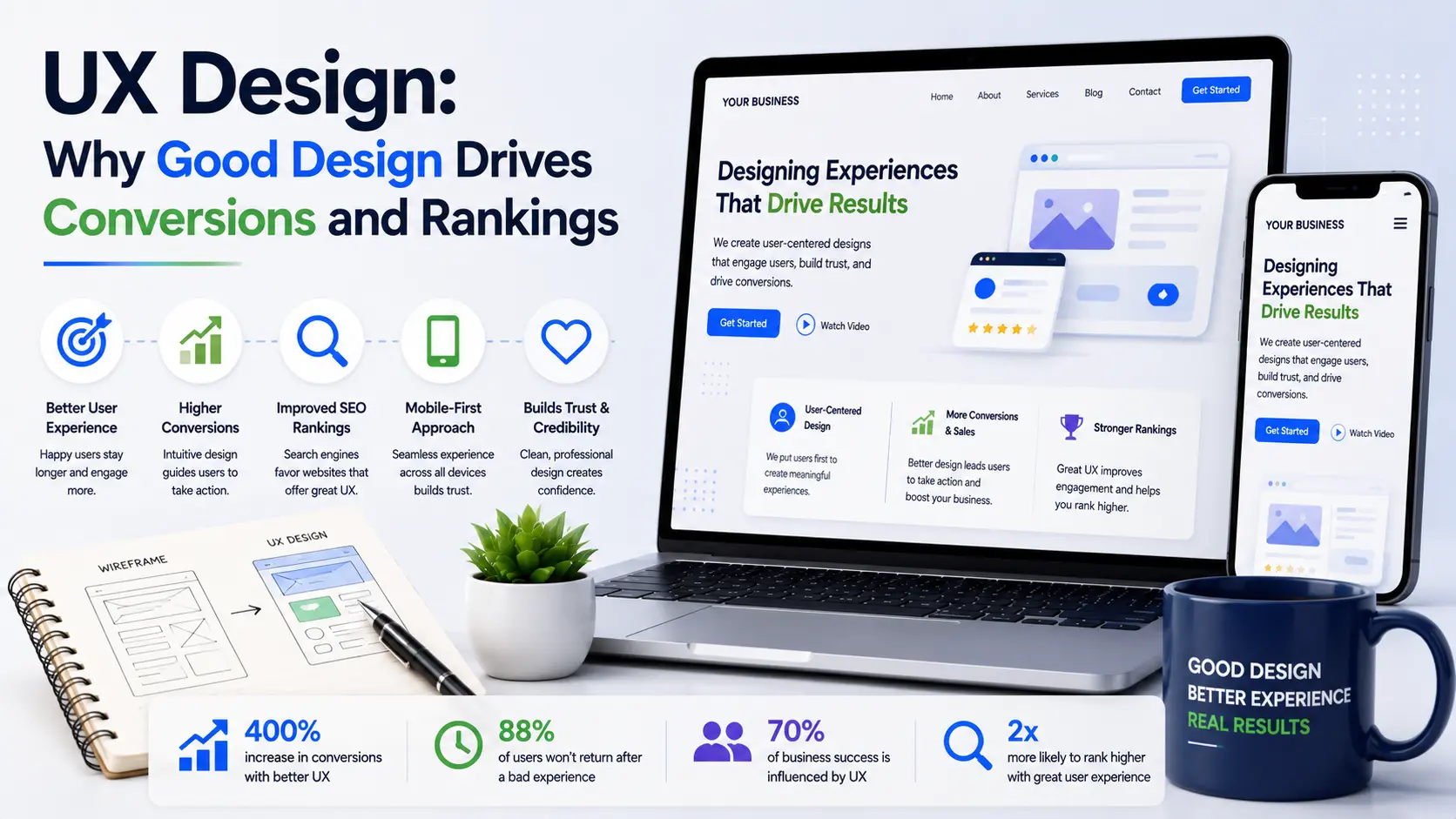
UX affects two critical metrics: rankings and conversions. Google measures how users interact with your site. Sites with poor UX have high bounce rates and low time-on-page, both ranking signals. Additionally, poor UX directly reduces conversion rates. A website might get 1,000 visitors monthly but convert only 5 if the user experience frustrates them.
This guide explains what UX actually is, why it matters for both rankings and business results, and how to improve it.
What Is User Experience (UX)?
User experience encompasses everything users experience when interacting with your website: how it looks, how it feels, how easy it is to navigate, how quickly it loads and how naturally it guides them toward actions you want them to take.
Good UX is invisible. Users accomplish their goals without thinking about it. Poor UX is obvious. Users struggle, get frustrated and leave.
UX differs from UI (user interface). UI is visual design: colours, typography, buttons, layouts. UX is broader: it includes UI but also information architecture, navigation, page structure and the entire journey.
Both matter. Beautiful UI with poor UX frustrates users. Functional UX with poor UI looks unprofessional. When your website’s web design combines excellent UI with excellent UX, function and form work together seamlessly.
UX Affects Google Rankings
Google measures user experience signals and uses them for rankings. This is formalised in Core Web Vitals but extends beyond speed.
Bounce rate:
Users leaving without interaction signals irrelevant or poor UX. High bounce rates hurt rankings.
Time on page:
Users spending time on your content signals relevance and engagement. Low time suggests poor UX or irrelevant content.
Pages per session:
Users visiting multiple pages signals engagement. Low pages-per-session suggests poor navigation or UX.
Click-through rate:
Users clicking your result in search suggests a good title and meta description. Not clicking suggests poor appeal.
Google interprets these signals as relevance and quality. Sites with good UX tend to have better engagement metrics, which improves rankings. Additionally, UX affects page speed, which is a confirmed ranking factor. Poorly designed sites often load slowly, affecting both user experience and search performance.
UX Directly Affects Conversions
The primary impact of UX is conversion rate. This is where the real business value emerges.
A website with excellent UX guides visitors naturally toward conversions. Friction is minimised. The path to purchase or enquiry is clear. Conversely, poor UX creates friction at every step. Visitors get lost. They can’t find what they need. They question whether to trust you. They abandon.
The difference is dramatic. Improving conversion rate optimization through better UX often increases conversion rates by 20-50%. No additional traffic needed. Same visitors, better results.
For ecommerce sites, this matters critically. A checkout process that’s confusing, slow or requires unnecessary steps causes abandonment. Streamlining the checkout flow through thoughtful UX often doubles conversion rates.
For service businesses, UX affects whether visitors submit contact forms or call. Clear CTAs, easy navigation and trust signals all influence whether they take action.
Core UX Principles
Good UX follows established principles applicable to all websites.
Clarity:
Users should immediately understand what your site is, what you offer and how to get it. Unclear value propositions and confusing navigation kill conversions.
Simplicity:
Don’t overwhelm users with options. Guide them toward primary actions. Remove unnecessary elements.
Consistency:
Navigation, terminology and visual design should be consistent throughout your site. Consistency builds familiarity and trust.
Feedback:
Users should know what’s happening. Loading indicators, form validation, confirmation messages all provide feedback.
Efficiency:
Minimise steps to accomplish goals. A five-step checkout converts worse than a two-step checkout.
Accessibility:
Design for everyone, including people with disabilities. Accessible design is inclusive and often improves UX for everyone.
Mobile-first:
Start with mobile. Responsive design ensures good experience on all devices. Our research shows mobile optimization significantly impacts conversion rates since 60%+ of traffic comes from mobile.
These principles aren’t trendy. They’re timeless because they work.
Common UX Problems
Most websites have obvious UX issues that damage both rankings and conversions.
Unclear navigation:
Users can’t find what they need. Information architecture is confusing. Menus are cluttered.
Slow performance:
Pages load slowly. Interactions lag. Mobile performance is poor.
Poor mobile design:
Responsive design is broken. Text is too small. Buttons are hard to tap.
Weak calls to action:
CTAs are vague or buried. Users don’t know what action to take.
Distraction and clutter:
Too many competing messages, pop-ups and ads overwhelm users.
Unclear forms:
Forms ask unnecessary questions. Required fields aren’t marked. Error messages don’t help.
Lack of trust signals:
No reviews, testimonials or security badges. Users question your legitimacy.
Poor readability:
Text is hard to read. Paragraphs are too long. Font sizes are too small.
Fixing even a few of these issues dramatically improves UX and conversions.
Testing and Improving UX
Good UX isn’t guesswork. It’s tested and iterative.
User testing:
Watch actual users interact with your site. Note where they struggle. Identify friction points.
Heatmaps:
Tools like Hotjar show where users click, scroll and move. This reveals what captures attention and what’s ignored.
Session recordings:
Watch how users navigate your site. Identify confusion and abandonment points.
Analytics:
Google Analytics shows bounce rates, time on page and conversion rates by page. Identify underperforming pages. When you understand your user behaviour through proper measurement, you can test improvements and track their impact on business results.
A/B testing:
Test changes systematically. Different headlines, button colours, form fields. Measure which performs better.
Start with identifying problems through testing. Then implement fixes. Test again to verify improvements.
Our web design service includes UX research and testing to ensure designs perform well with actual users.
UX in Our Web Design
At AdreamCreation, UX is central to every website we design. We don’t design based on aesthetics alone.
Our process includes user research to understand your audience, information architecture planning, wireframing to test structure before design, user testing during design, responsive design for all devices, performance optimisation and conversion optimisation.
This results in websites that look great and perform excellently.
Our digital marketing services complement this by measuring results and identifying further optimisation opportunities based on real user behaviour and business metrics.
Frequently Asked Questions
Does UX affect rankings?
Yes. Indirectly through engagement signals like bounce rate, time on page and click-through rate. Google interprets poor UX as poor relevance.
Is UX design expensive?
Compared to poor design, it’s cheap. Better UX increases conversions, often paying for itself quickly.
Can I improve UX without redesigning?
Some improvements, yes. Simplifying navigation, improving readability, clarifying CTAs. Major UX issues often require redesign.
What’s the most important UX element?
There’s no single most important element. Good UX is holistic. Every element contributes to the overall experience.
How do I measure UX?
Through analytics (bounce rate, time on page, conversion rate) and user testing (observation of actual user behaviour).
Should I prioritise mobile or desktop UX?
Mobile. 60%+ of traffic is mobile. Additionally, Google prioritises mobile-first indexing.
Can AI improve UX?
AI can help analyse user behaviour and identify patterns. But designing solutions still requires human understanding of your specific audience.
Good UX Is Good Business
User experience directly affects business results. Better UX means higher rankings, more conversions and happier customers.
The businesses winning online are those investing in UX. They understand that design isn’t decoration. It’s a business tool that drives results.
Ready to improve your website’s UX? Contact AdreamCreation today. We’ll audit your current experience, identify improvement opportunities and redesign for conversions.