
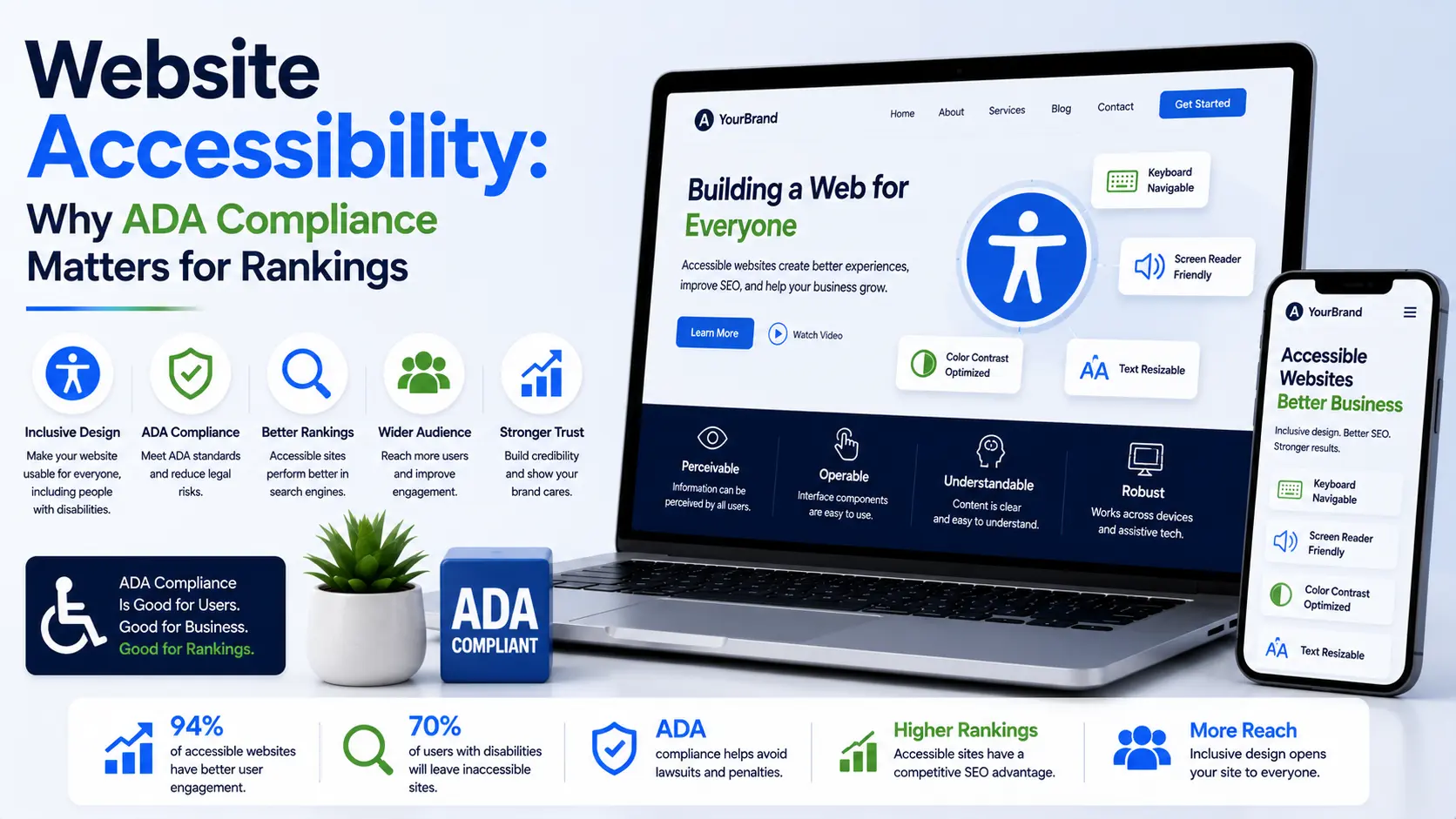
Your website looks great on desktop and mobile. But if visitors with disabilities can’t use it, you’re losing customers and facing legal risk.
Website accessibility means designing websites so people with disabilities can perceive, navigate and interact with content. This includes people who are blind, deaf, have mobility limitations or cognitive disabilities.
Accessibility isn’t charity. It’s good business. Accessible websites rank higher on Google. They convert better. They reach more customers. And they keep you compliant with legal requirements.
This guide explains why website accessibility matters, how it affects rankings and compliance, and how to implement it.
What Is Website Accessibility?
Website accessibility means your site works for everyone, regardless of ability.
For someone who is blind, accessibility means screen readers can interpret your content. For someone with mobility limitations, it means keyboard navigation works. For someone with cognitive disabilities, it means content is clear and organized.
The Web Content Accessibility Guidelines (WCAG) define accessibility standards. WCAG 2.1 AA is the standard most businesses should target. It’s also the basis for many legal accessibility requirements.
Accessibility isn’t a single feature. It’s a design philosophy applied throughout your site: semantic HTML, alt text for images, keyboard navigation, colour contrast, video captions and clear language.
Implementing accessibility from the ground up during web design is far easier than retrofitting it afterward.
Legal Requirements and Liability
Website accessibility isn’t voluntary in many jurisdictions. Legal requirements exist.
The Americans with Disabilities Act (ADA) applies to websites of businesses serving the US. The Equality Act 2010 applies in the UK. Similar laws exist in Canada, Australia and other countries.
These laws don’t just exist. They’re actively enforced. Thousands of accessibility lawsuits are filed annually. Settlements and judgments often cost £10,000-£100,000+.
The legal requirement is straightforward: websites must be accessible to people with disabilities. Failing to meet this requirement exposes your business to legal action.
Beyond legal liability, accessibility is ethical. Excluding people with disabilities from accessing your services or information is discrimination. Accessible design ensures everyone can participate.
Accessibility Improves Google Rankings
Google cares about accessibility. It benefits users and aligns with Google’s mission to make information accessible to all.
Several accessibility practices directly improve rankings:
Page structure and semantic HTML. Accessible sites use proper heading hierarchy and semantic elements. This helps Google understand content structure better.
Alt text for images. Images need text descriptions for accessibility. Alt text also helps Google understand images, improving image search rankings.
Video transcripts and captions. Captions make videos accessible. They also provide text Google can index, improving video discoverability.
Keyboard navigation. Sites requiring only mouse interaction exclude people with mobility disabilities. Keyboard-accessible sites have better usability for all users, improving engagement metrics Google measures.
Mobile responsiveness. Accessible design and responsive design have significant overlap. Mobile-optimised sites rank higher. Accessibility requirements push toward responsive design.
Page speed. Many accessibility best practices (removing bloated code, minimising unnecessary elements) improve page speed, which is a ranking factor.
Google doesn’t explicitly give accessibility a massive ranking boost, but accessibility practices align with what Google already rewards: good user experience, clear structure and semantic code.
Business Benefits Beyond Rankings
Accessibility benefits extend far beyond legal compliance and rankings.
Larger audience. Approximately 16% of the population has some form of disability. Accessible design reaches this entire market. Additionally, accessibility features help non-disabled users: captions help people in loud environments, transcripts help people learning English, clear navigation helps everyone.
Better user experience. Accessibility principles improve usability for all users. Captions help people in noisy coffee shops. Large text helps people with presbyopia. Keyboard navigation helps anyone who prefers keyboards. Accessible design is good design.
Brand reputation. Businesses known for accessibility gain goodwill and loyalty. Customers appreciate inclusive design. Media coverage of accessibility initiatives is positive.
Employee retention. Accessible workplaces retain more talented employees. Some employees develop disabilities during their careers. Accessible digital tools keep them productive.
Conversion rate improvement. Better user experience design means better conversions. Accessible sites convert better because they work better for more people.
Common Accessibility Issues
Most websites have obvious accessibility problems.
Missing alt text. Images without descriptions exclude blind users and don’t help Google understand images.
Poor colour contrast. Text that’s hard to read excludes people with low vision. WCAG requires at least 4.5:1 contrast for normal text.
Keyboard navigation problems. Keyboard-only users can’t access content requiring mouse interaction.
Missing transcripts and captions. Video content without captions excludes deaf users. Transcripts help Google index video content.
Poor heading structure. Content without proper headings is confusing for screen reader users.
Form labels missing. Forms without proper labels are incomprehensible to screen reader users.
Flashing content. Rapidly flashing content causes seizures in people with photosensitive epilepsy.
No focus indicators. Keyboard users need visible focus indicators showing where they are on the page.
Fixing these issues significantly improves accessibility without major redesign.
Implementing Accessibility
Accessibility should be built into web design from the start. Adding it afterward is far more difficult.
Use semantic HTML. Proper heading structure, lists, buttons and links tell assistive technologies what elements are.
Add alt text to images. Describe what the image shows in 100-125 words. Don’t say “image of X.” Say what the image conveys.
Ensure colour contrast. Text and background colours must have sufficient contrast. Use a contrast checker tool to verify.
Make keyboard navigation work. All functionality must be accessible via keyboard. Test by navigating your site without a mouse.
Add video captions and transcripts. Captions help deaf users. Transcripts help everyone and improve SEO.
Use clear language. Avoid jargon and complex sentences. Clear writing helps everyone, including people with cognitive disabilities.
Test with actual users. People with disabilities can identify issues you’ll miss. User testing is invaluable.
Use automated tools. WAVE, Axe DevTools and Lighthouse identify accessibility issues. But they don’t catch everything. Manual testing and user testing are essential.
Our digital marketing services include accessibility audits identifying what needs improvement on your site.
Frequently Asked Questions
Is accessibility expensive?
Building accessibility into new design costs little more than poor design. Retrofitting existing sites costs more. Starting with accessibility is cost-effective.
Does accessibility hurt design aesthetics?
No. Accessible design is often more elegant. Unnecessary design elements that hurt accessibility can be removed, improving design.
What’s the difference between accessibility and usability?
Accessibility is ensuring people with disabilities can use your site. Usability is ensuring everyone can use it easily. They overlap significantly.
Do I need to support screen readers?
If you have users who are blind or have low vision, yes. Screen readers are how these users access web content. Testing with actual screen readers is important.
What’s WCAG AA?
Web Content Accessibility Guidelines level AA. It’s the standard most businesses should meet. Level AAA is higher but not always necessary. Level A is minimum.
Can I use automated tools alone to ensure accessibility?
No. Automated tools catch maybe 30-40% of accessibility issues. Manual testing and user testing with people with disabilities catch issues tools miss.
How long does accessibility implementation take?
For new sites, it’s built in during design. Retrofitting existing sites takes weeks to months depending on size and current state.
Accessibility Is Good Business
Website accessibility benefits everyone: people with disabilities, search engines and your business. It’s not about being nice. It’s about being smart.
Accessible websites rank higher, convert better, reach more customers and avoid legal liability. These are business imperatives, not optional extras.
Ready to make your website accessible? Contact AdreamCreation today. We’ll audit your site’s accessibility, identify issues and implement improvements that benefit your users and your rankings.